You have a couple of options, but I don’t know if any of these satisfy your requirements exactly.
Option 1 - Import Inventory
You can use the the Import Inventory feature to create an inventory transaction for a group of inventory items.
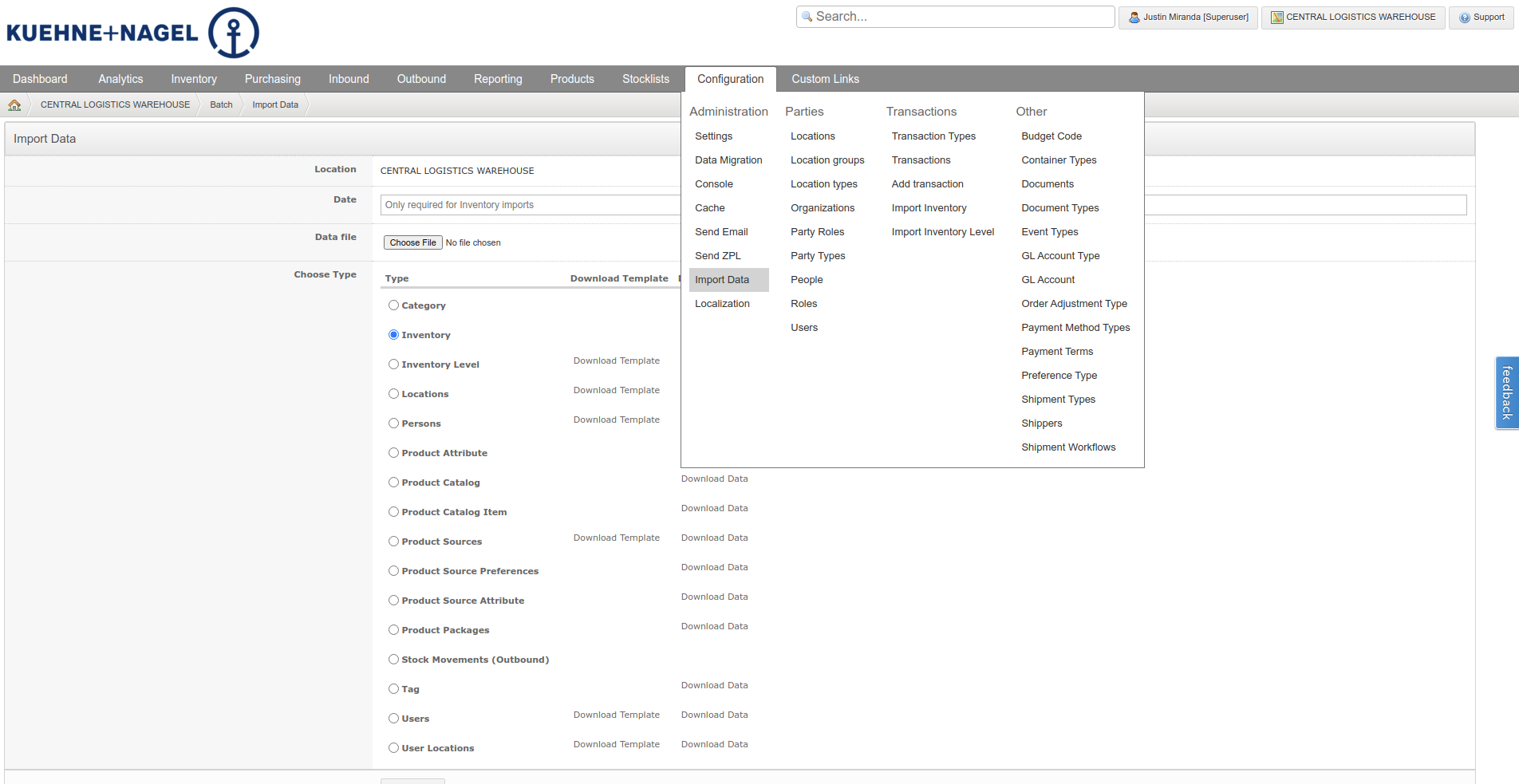
- Go to Import Data
- Download inventory data file
- In your favorite spreadsheet editor, remove all rows that aren’t related to the products you want to edit (this is important as you only want to create a transaction for the products you’re editing)
- Go back to the Import Data page
- Enter a date for the transaction
- Choose the edited file from step 1
- Choose Inventory impot type
- Click the Upload button
- Review the data to be imported
- Click the Finish button
IMPORTANT: This does not create an adjustment transaction (+/-), but rather a stock count. So you must include every row for the product you want to edit. Removing a row is like zero’ing out the quantity.
Option 2 - Adjust Stock feature
Enable Adjust Stock as a supported activity for your location and then use the Manage Inventory feature to adjust stock for specific items.
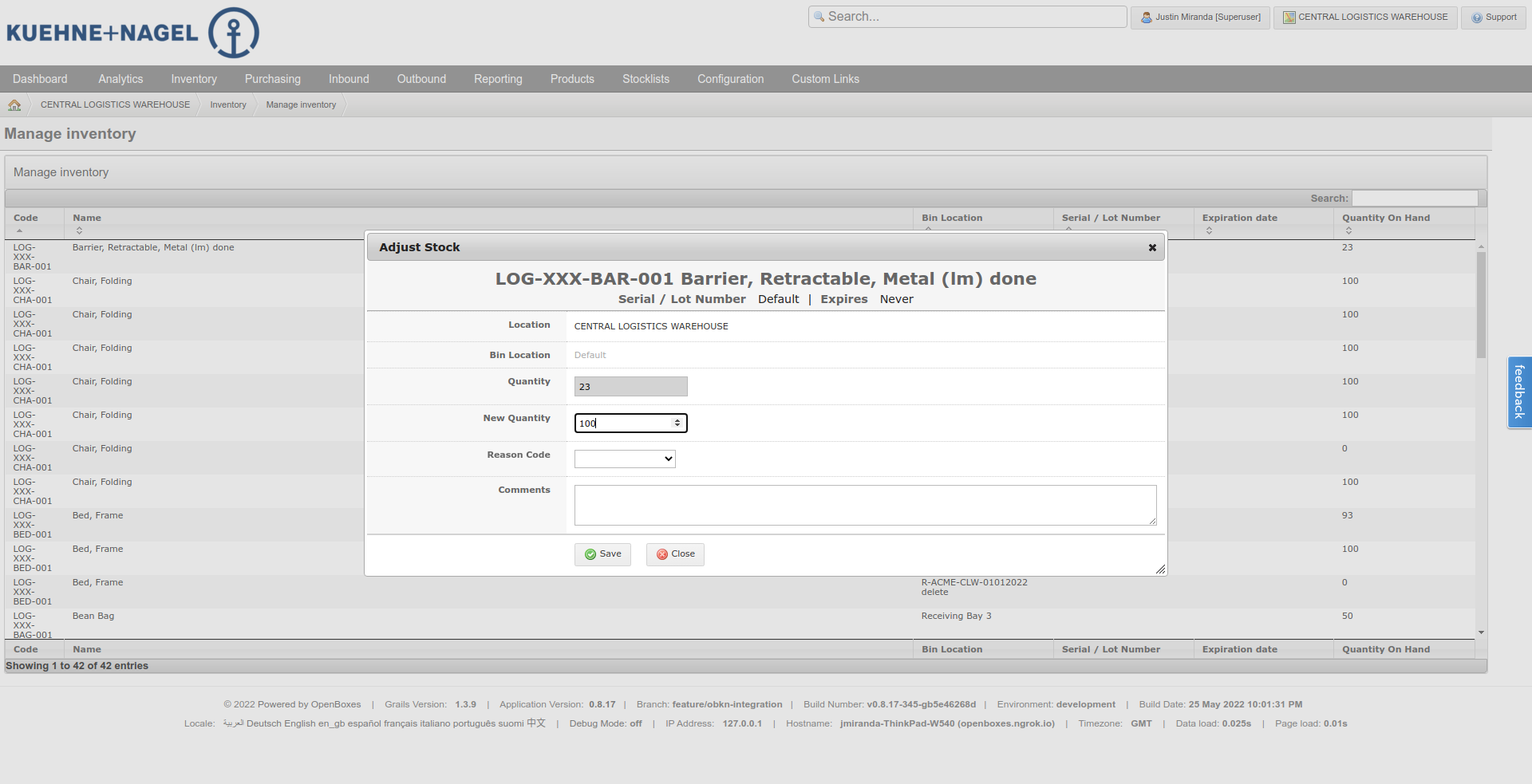
Option 3 - Adjust Inventory (no longer available but could be added back)
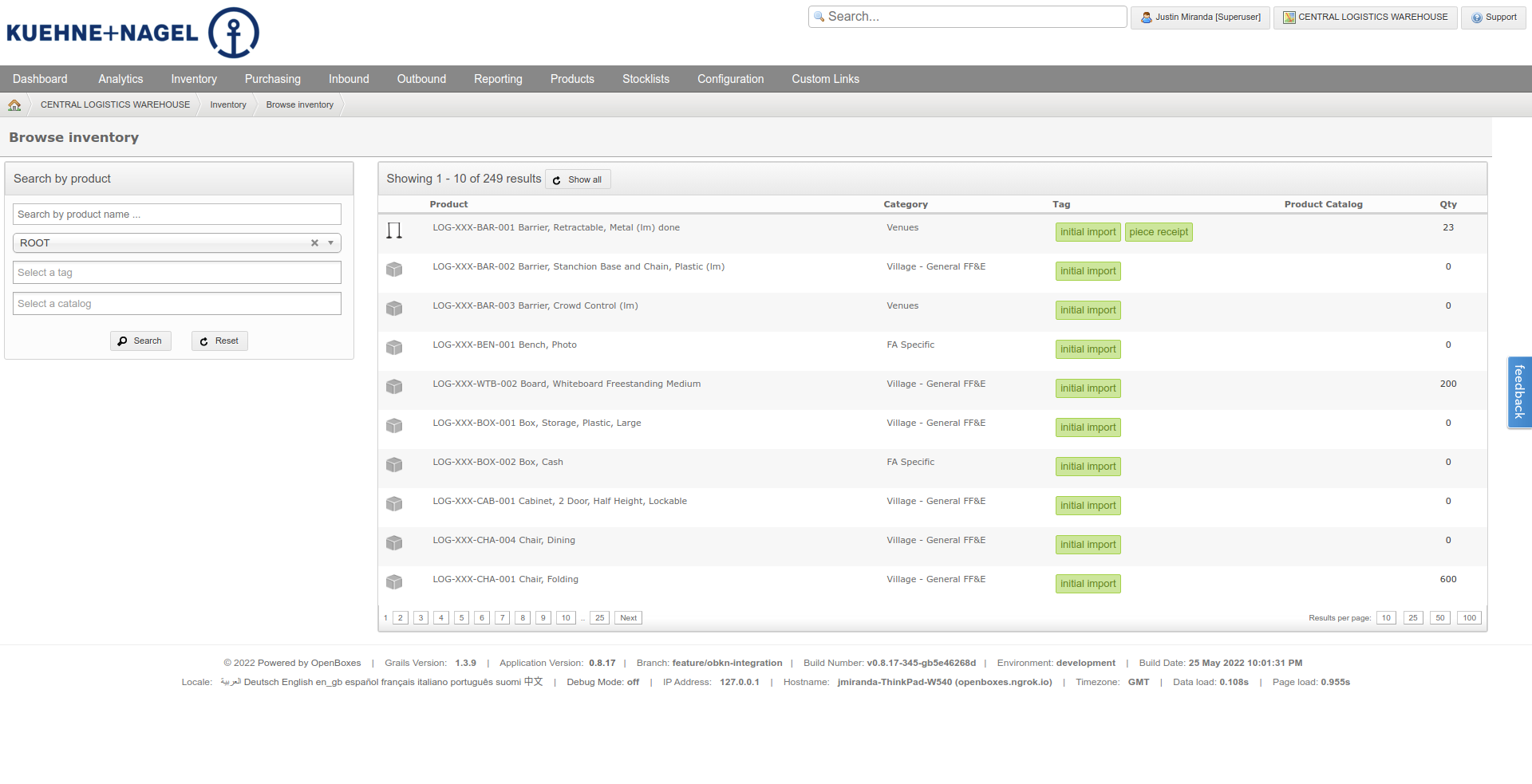
We used to have that available from the Browse Inventory page, but I guess we removed the checkboxes and action menu from the Browse Inventory page (probably for performance reasons). I don’t see why we couldn’t add it back but I wouldn’t hold your breath.
The way it worked as that you’d select multiple products and then click Adjust Inventory button and it would take you to a page like this.
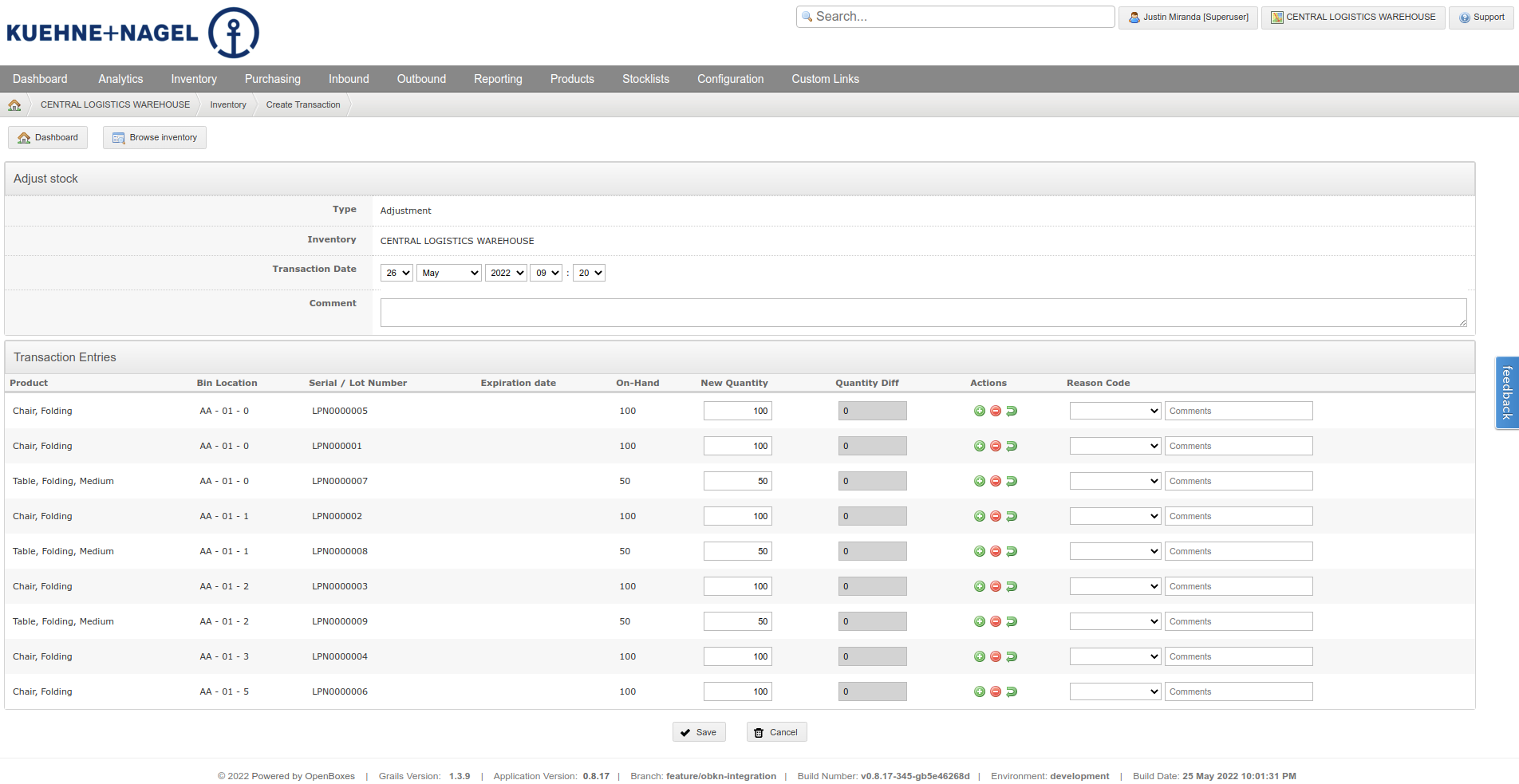
You can still get to the Adjust Stock for a single product by using the action menu in the header of the Stock Card page.
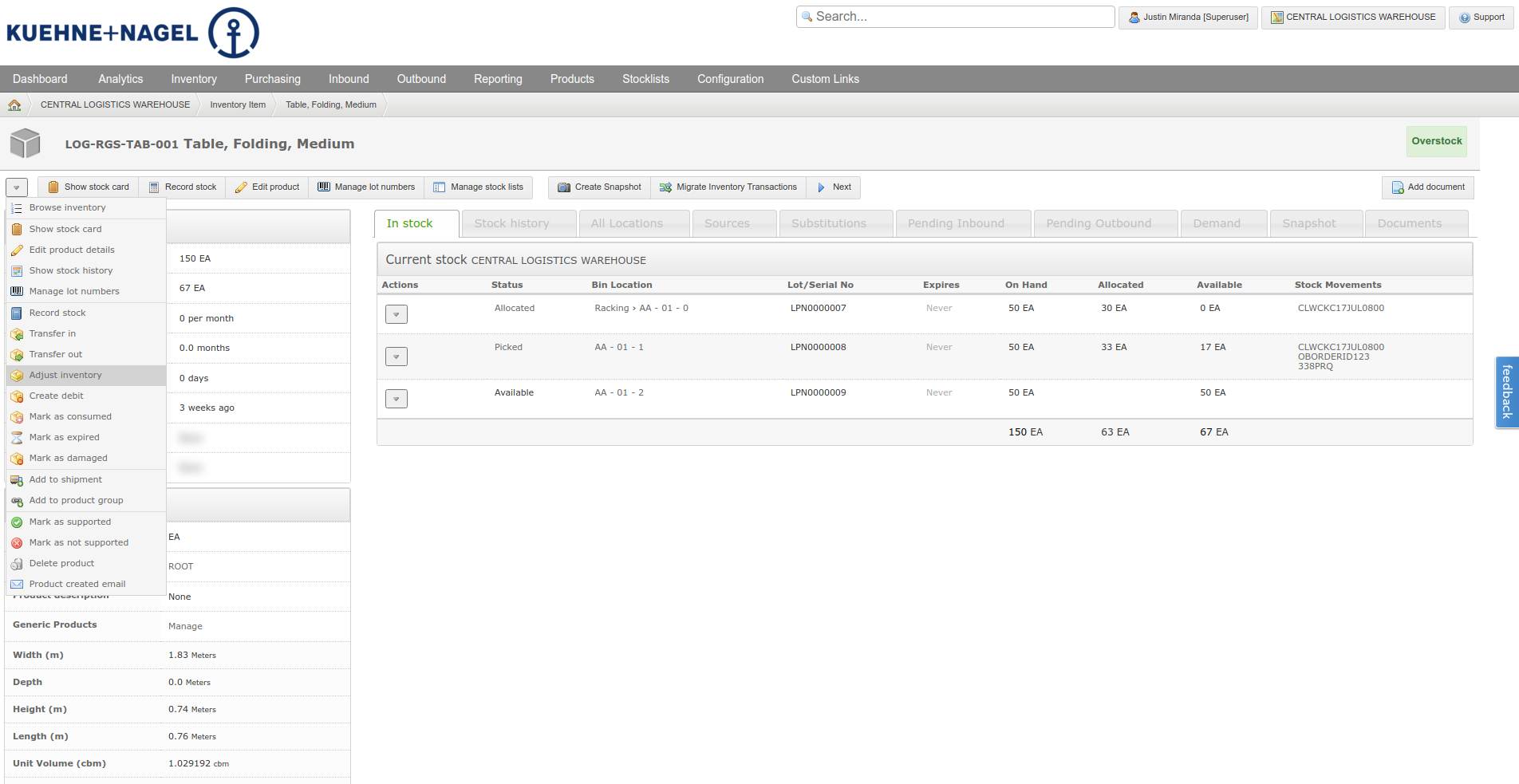
And if you’re willing to do it manually you could grab the product UUIDs and build the URL yourself. You just need a product.id parameter for each product to the URL like below.
Option 4 - Build a new Import Adjustment feature
There was a suggestion to build a new data import for stock adjustments which I think is a great idea, but it’s not currently in our backlog.