# Transfer in and Out Option
**URL:** https://community.openboxes.com/t/transfer-in-and-out-option/935
**Category:** uncategorized
**Created:** [April 4, 2024, 8:57pm UTC](https://community.openboxes.com/t/transfer-in-and-out-option/935 "2024-04-04T20:57:52Z")
**Posts on this page:** 2
**Page:** 1
### Author:  [@Bserna](https://community.openboxes.com/u/Bserna)
#### Post date: [April 4, 2024, 8:57pm UTC](https://community.openboxes.com/t/transfer-in-and-out-option/935/1 "2024-04-04T20:57:53Z")
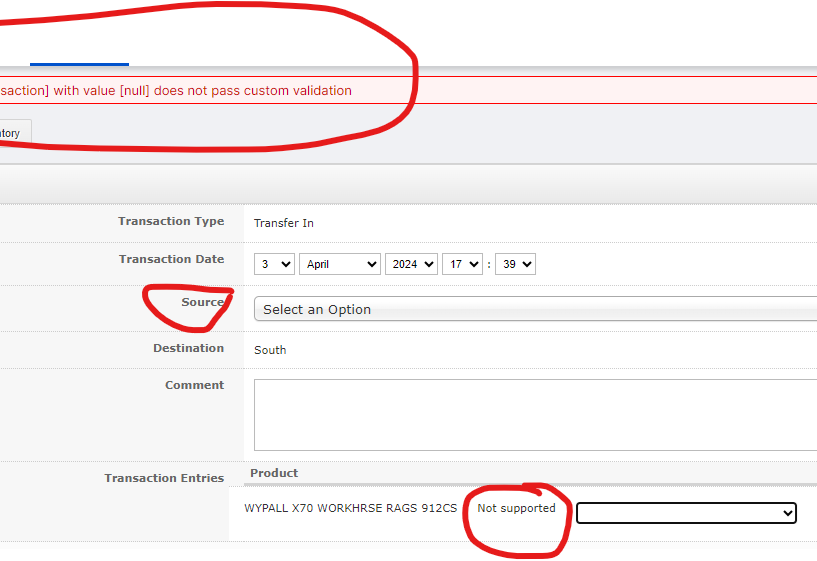
Please explain what Transfer in and out does. I keep getting this message.
---
### Author:  [@jmiranda](https://community.openboxes.com/u/jmiranda)
#### Post date: [April 5, 2024, 4:43am UTC](https://community.openboxes.com/t/transfer-in-and-out-option/935/2 "2024-04-05T04:43:20Z")
As I mentioned in my response to your previous post, you can use these features, but there are more appropriate features available for what you’re trying to accomplish.
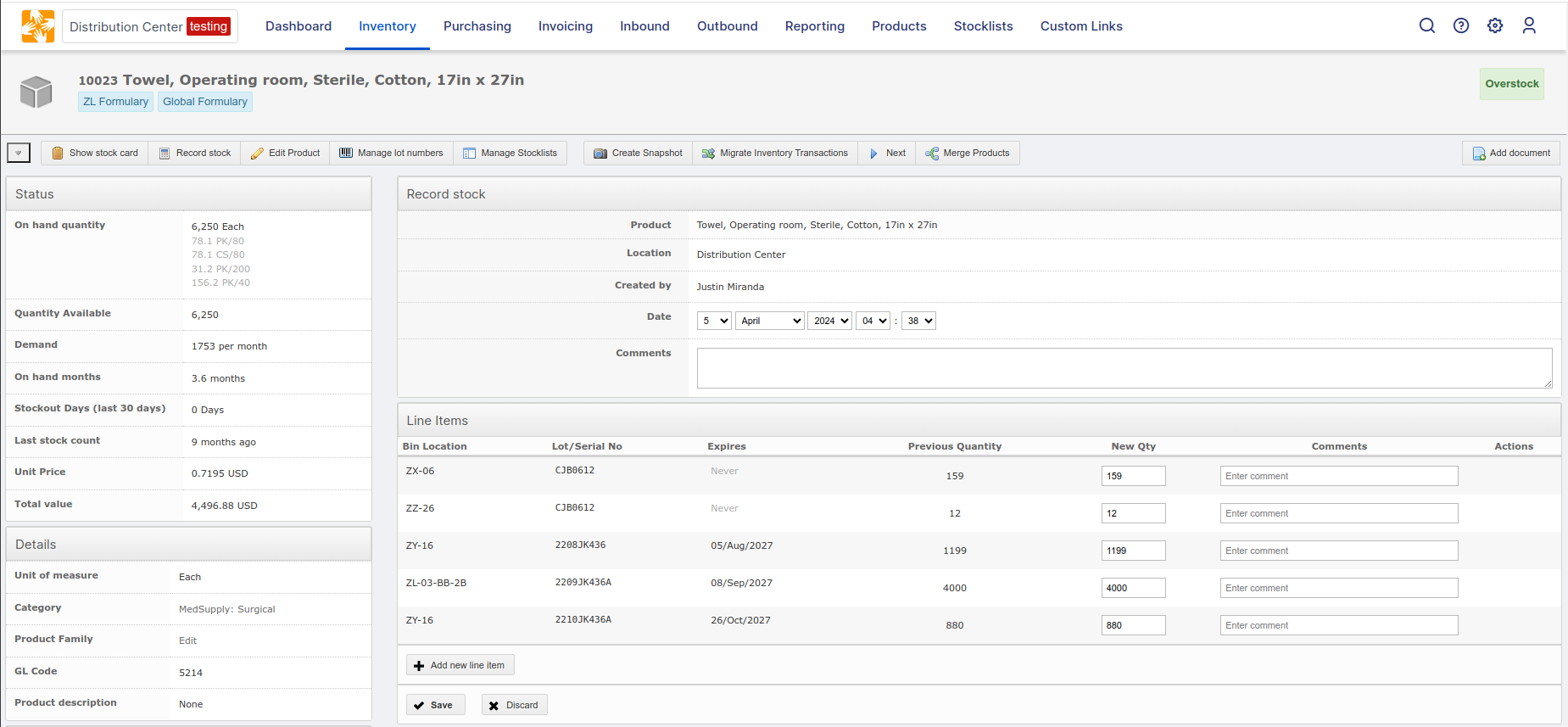
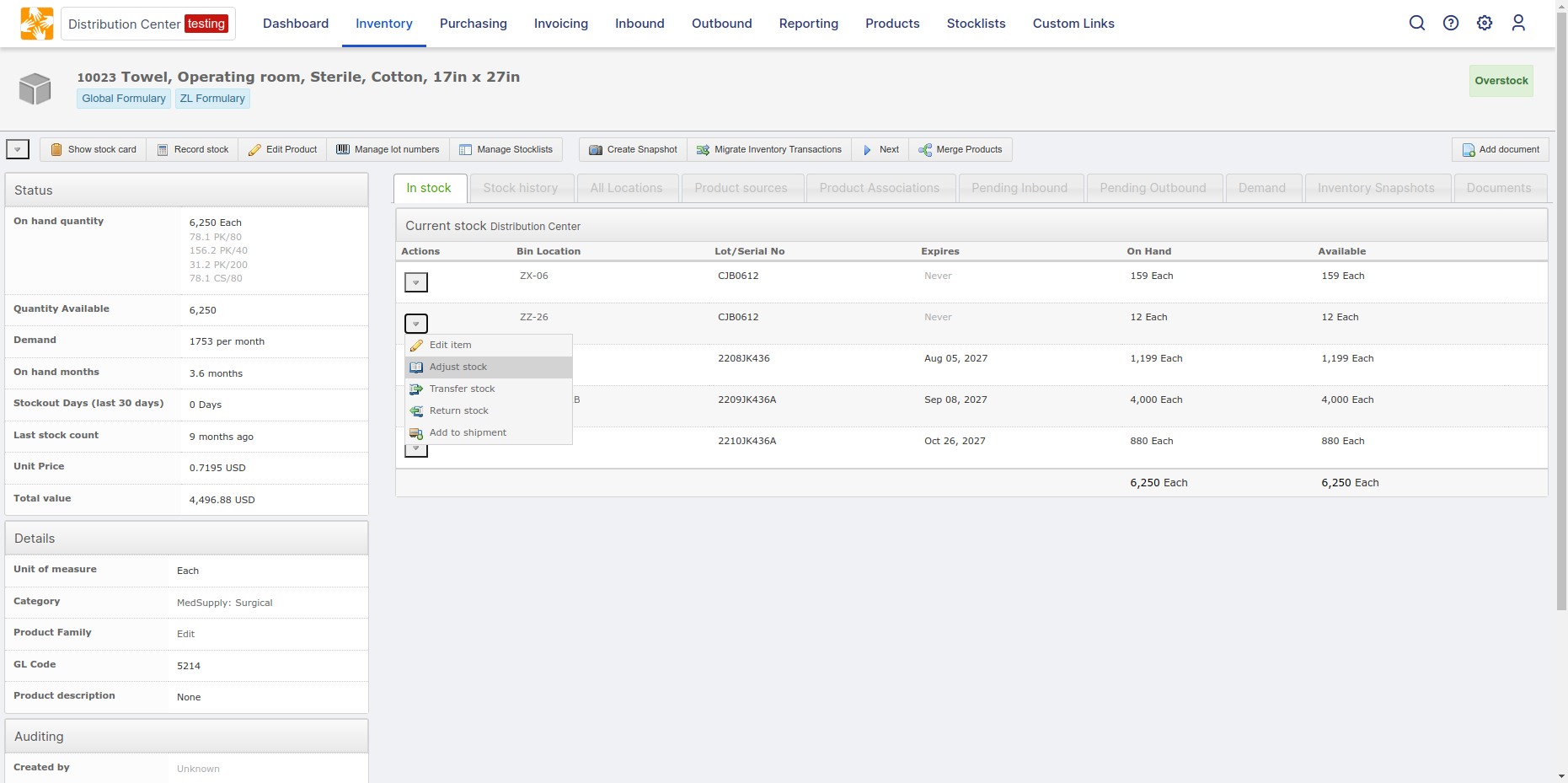
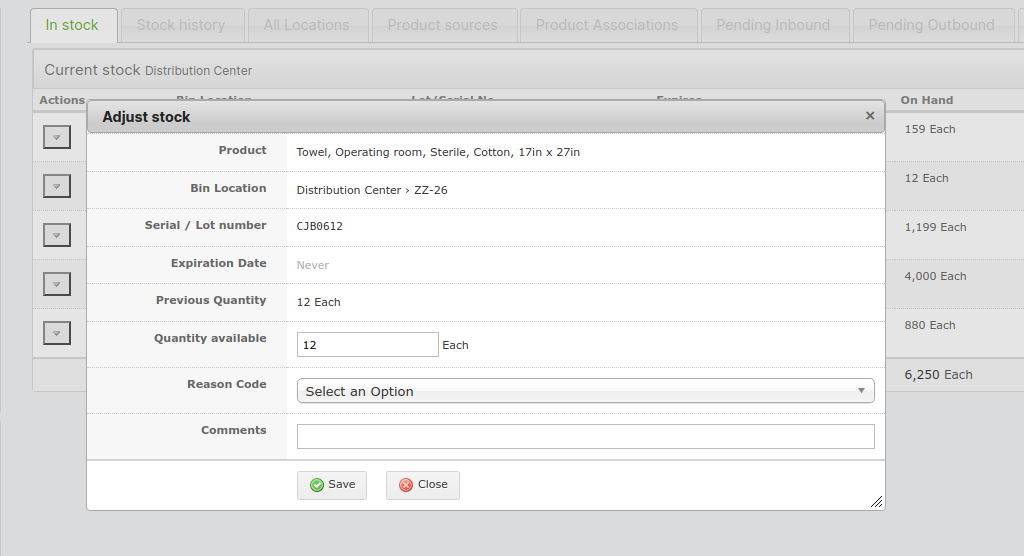
In this case, I would probably just use the Record Stock and Adjust Stock features.
### Record Stock
### Adjust Stock
Getting back to your questions about the Transfer In and Transfer Out features available from the Stock Card dropdown …
The error message at the top means that you need to enter a valid Source. I assume that you’re encountering that issue because the source dropdown is empty in your system. To fix that, you’ll just need to add at least one location with location type = Supplier.
The Not Supported message under Transaction Entries refers to the Bin Location field. This just means that this particular location does not support Bin Locations. This does not prevent you from completing this form, the message is displayed for informational purposes.
To enable Bin Locations, the Location’s supported activities must include Pick Stock or Putaway Stock (or both). This is the default setting for the Depot location type, so all Depot locations should have bin locations enabled by default. If you’ve created a new location type or overridden the location’s supported activities, it’s possible you’ve inadvertently disabled the bin location feature.
Here’s some documentation explaining some common configurations.
> **[Location Type and Supported Activities - OpenBoxes Knowledge Base](https://help.openboxes.com/article/33-location-type-and-supported-activities#Possible-Supported-Activity-Customizations-UEYRQ)**
>
> IN THIS ARTICLE Location Type Definitions Supported Activity Definitions Possible Supported Activity Customizations The location type and supported activities d
To learn more about bin locations, refer to the following documentation
- [Bin Location Types - OpenBoxes Knowledge Base](https://help.openboxes.com/article/288-bin-location-types)
- [Managing Bin and Zone Locations - OpenBoxes Knowledge Base](https://help.openboxes.com/article/289-managing-bin-and-zone-locations)
And if you’d like to learn more about using OpenBoxes, I’d be happy to jump on a demo call. Just schedule a time using the link below.
> **[Demo Session - Justin Miranda](https://calendly.com/openboxes/demo?month=2024-04)**
>
> Schedule a walkthrough demo via screenshare.